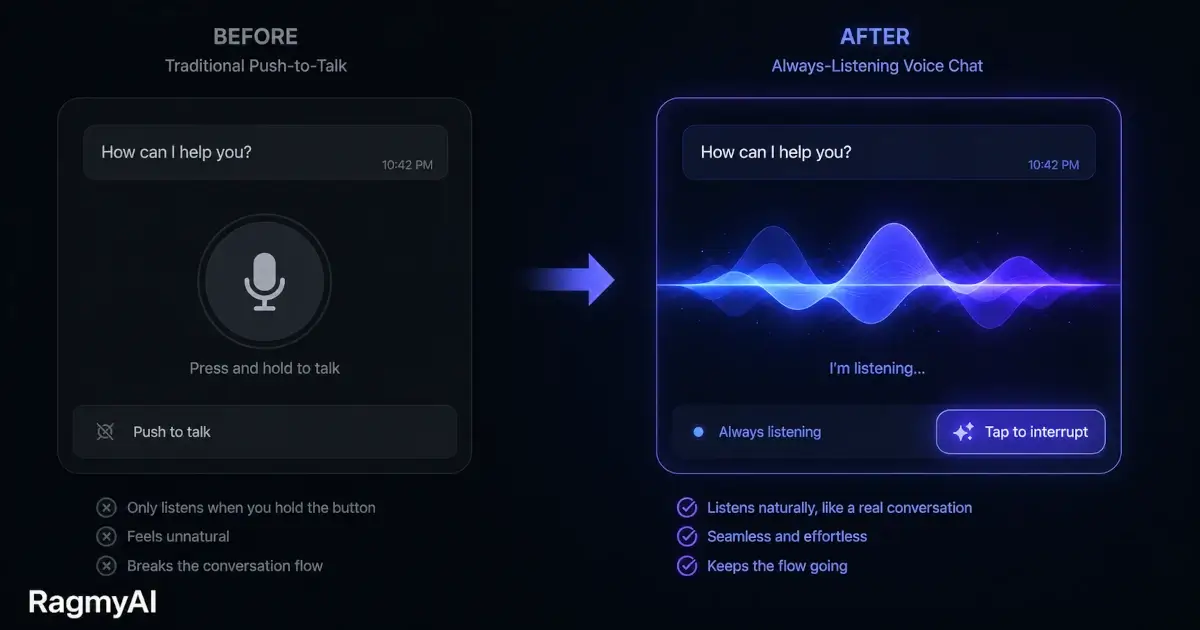
Most voice interfaces have a turn-taking problem. You ask a question. The AI starts answering. You realise halfway through the answer that it's going in the wrong direction — but you have to wait for it to finish before you can redirect it. This doesn't feel like a conversation. It feels like listening to a voicemail you can't skip.
Tap-to-interrupt fixes this. It's a small thing. It changes everything.
Why voice feels different from text
In a text conversation, you can scroll back, re-read, and skip ahead. You can skim a long reply in two seconds. Voice is strictly linear — every word arrives in real time, at speaking pace. A 200-word answer takes about 90 seconds to hear. A 400-word answer takes three minutes.
In human conversation, you'd never sit silently for three minutes while someone answered a question you'd already understood the answer to. You'd say "got it" or "wait, that's not quite what I meant" — and the other person would stop and adjust. That's what makes dialogue efficient.
Without interrupt, voice AI removes this entirely. Every exchange becomes a formal transaction: you speak, you wait, the AI finishes, you speak again.
What tap-to-interrupt actually does
When the AI is speaking, tapping the screen stops the output immediately and opens a listening window. The AI doesn't finish its sentence. It stops, listens to what you say, and responds to that.
This is harder to implement than it sounds. The system has to:
- Stop audio playback mid-stream without clipping
- Discard any buffered audio that hadn't been played yet
- Open the microphone immediately, without a noticeable gap
- Keep enough context from what had been said to understand the follow-up
Get any of these wrong and the interrupt feels jarring or broken. When it works well, it's invisible — it just feels like talking.
The sessions that benefit most
Interrupt matters most in longer sessions — revision sessions, exploration conversations, working through a complex document. Any session where you're asking follow-up questions based on what you heard, where one answer leads to another, where the conversation is genuinely iterative.
For simple, one-shot queries — "what time does the office open?" — interrupt is irrelevant. The AI answers in five seconds and you're done.
But for the kind of sustained, back-and-forth conversation that's actually useful — "explain this concept, wait, go back, what do you mean by that, okay now give me an example" — interrupt is what separates voice mode from voice mode you'll actually use.
The related detail: pace control
Voice interfaces that only let you interrupt still have a frustrating mode: the AI answers too fast or too slow for you to follow comfortably. Natural speech varies pace with content — slowing down for complex ideas, speeding up for simple ones.
RagmyAI's voice synthesis adjusts speaking rate based on sentence complexity: shorter, simpler sentences are delivered faster; long sentences with multiple clauses slow down slightly. It's subtle, but it reduces the cognitive load of listening — which is, ultimately, the goal. Not just speech, but speech you can actually follow.