3 ways to embed: all free
RagmyAI lets you embed a chatbot in your website for free, trained on your own documents, live in under 60 seconds. No credit card, no developer needed.
How it works
Upload PDFs, Word docs, text files, or HTML pages. Your AI reads them and learns to answer questions strictly from your content: no hallucinations, no guessing from the open internet.
Open Web Chat in the RagmyAI app. Your personalized script tag is already waiting: one line with your chatbot ID pre-filled. Copy it.
Paste the tag into your site's HTML. A floating chat launcher appears instantly: on WordPress, Shopify, Squarespace, Webflow, or any custom site.
Three ways to embed
Option 1 · Recommended
Drops a chat button into the bottom-right corner of any page. Visitors click it, a window opens, and they talk to your AI without leaving the page. Zero layout changes required.
<script
  src="https://chat.ragmyai.com/chat-widget.min.js"
  data-page-id="YOUR_CHATBOT_ID">
</script>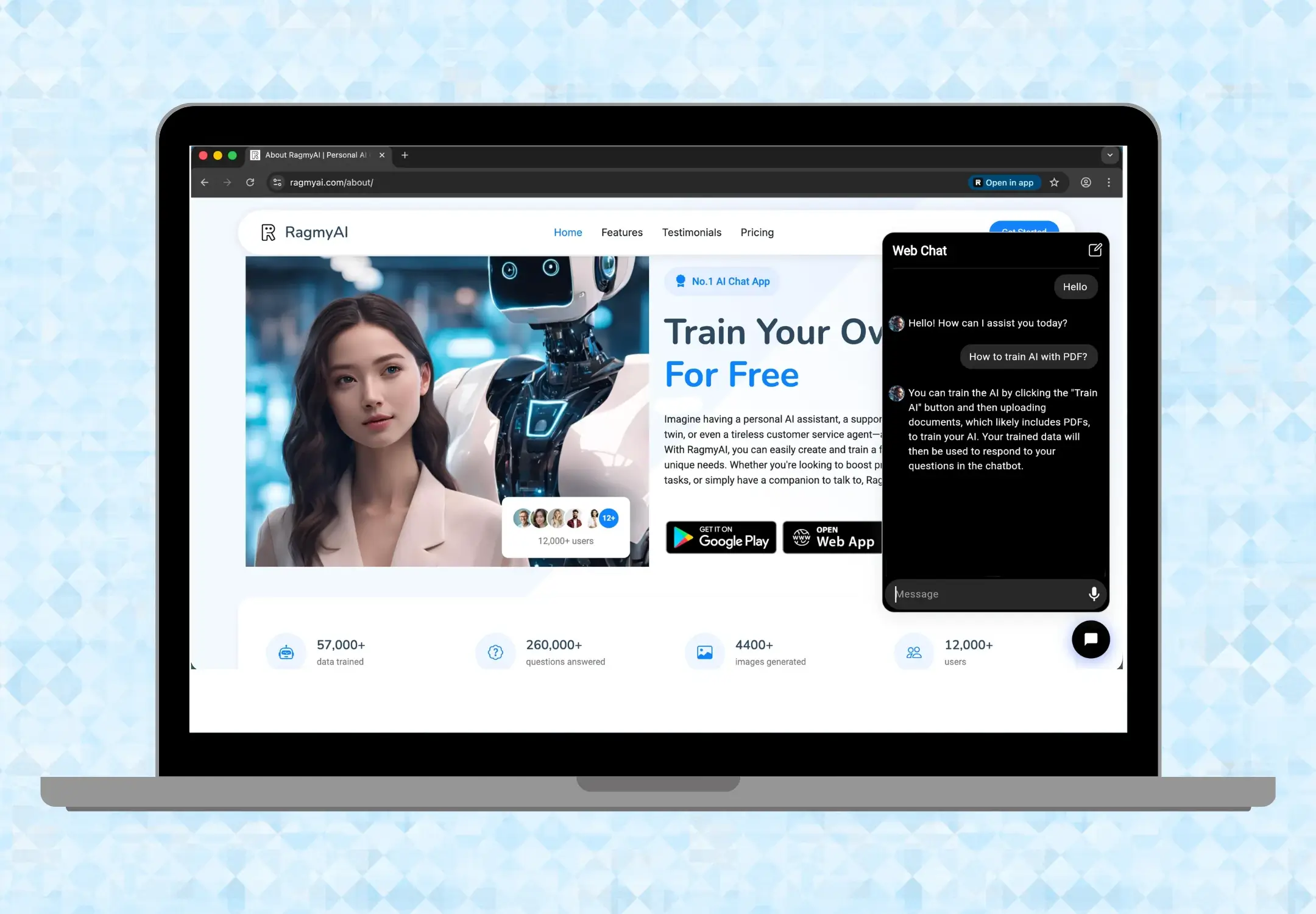
Option 2
Place the chatbot at an exact location in your page body: inside a sidebar, a help section, or a modal. You control the dimensions; the chatbot fills them.
<iframe
  src="https://chat.ragmyai.com/YOUR_CHATBOT_ID"
  allow="microphone"
  width="300"
  height="400">
</iframe>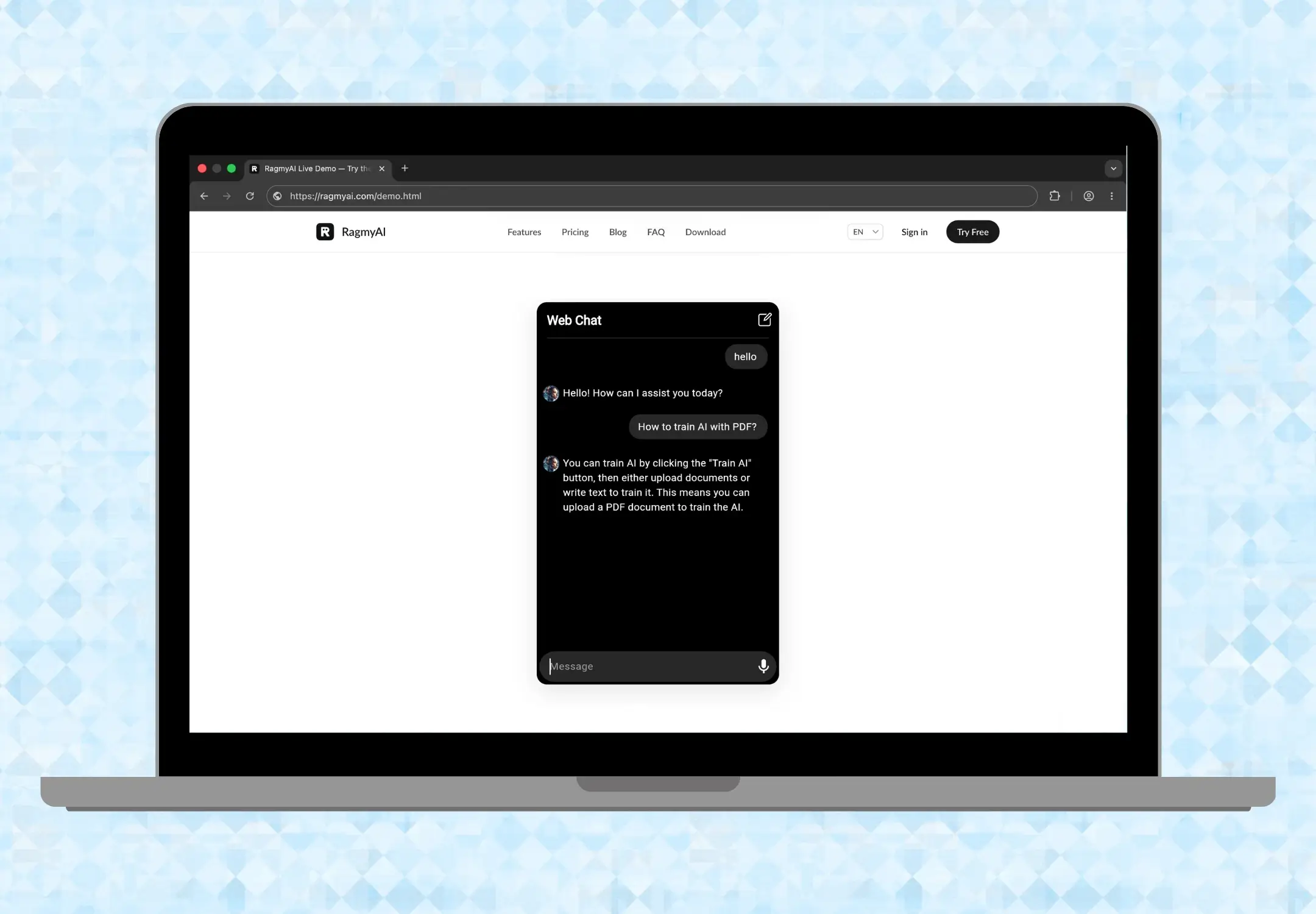
Option 3
Every chatbot gets a shareable URL. Send it in an email, a QR code, a Slack message, or a Notion page. Anyone with the link gets a full-page chat interface, no embedding required.
https://chat.ragmyai.com/YOUR_CHATBOT_ID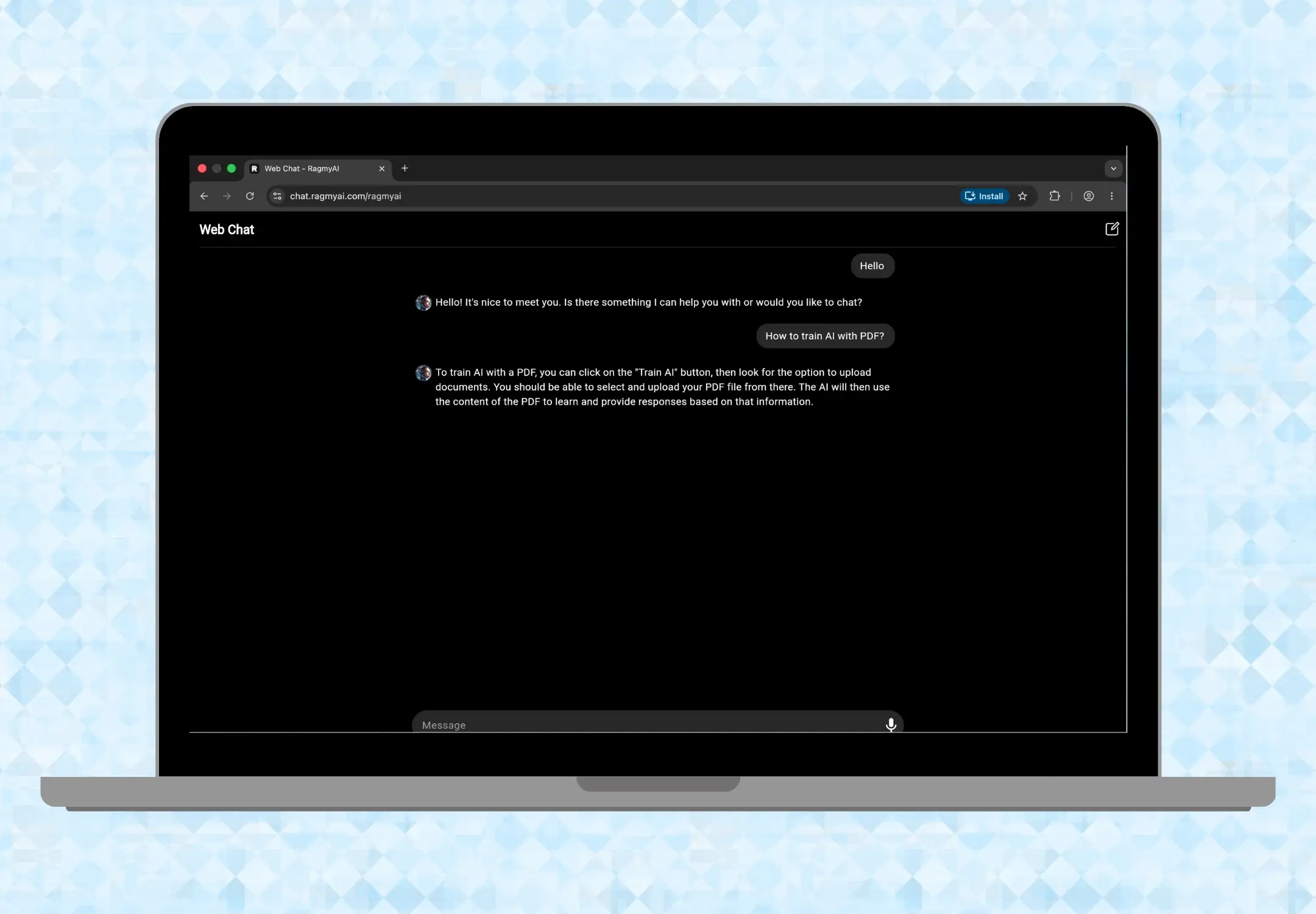
Make it yours
The script tag isn't one-size-fits-all. Set the chat window size, swap the button icon, and pick your own shape and color, all from attributes on the same line of code.
widget-width, widget-heightbutton-width, button-heightbutton-border-radiusbutton-background-colorbutton-image-urlbutton-image-width, button-image-height<script
data-page-id="YOUR_CHATBOT_ID"
src="https://chat.ragmyai.com/chat-widget.min.js"
widget-width="400px"
widget-height="600px"
button-image-url="https://ragmyai.com/assets/logo-icon.png"
button-image-height="48px"
button-image-width="48px"
button-height="64px"
button-width="64px"
button-border-radius="20%"
button-background-color="#1F4FD8">
</script>Leave any attribute out and it falls back to the default look, so you only need to set what you want to change.
After you go live
Once your chatbot is live, Web Chat > Notifications logs every exchange visitors have. Read any transcript and tap Retrain on any answer that was off, it opens the training editor with that exchange pre-loaded so you can correct it in context.
This is the fastest way to improve answer quality: real questions from real visitors, corrected one by one, each making the next answer sharper.

Use cases
Train on your product catalogue, returns policy, and FAQs. Answer customer questions at 3am without hiring overnight support. Retrain from real shopper questions weekly.
Upload lecture notes, syllabi, and reading lists. Students get a tutor available around the clock that answers only from course materials, not from random internet sources.
Replace static help docs with a chatbot trained on them. Visitors ask questions in natural language instead of searching. Every unanswered question shows you a gap to fill.
"Excellently developed app that's easy to use and very intuitive. Highly recommended."

"The best app ever. It helps me in school work and anything I want to know. Thanks to the owner of the app."

Common questions
Yes. The free plan lets you embed your chatbot with no credit card required. The widget, public URL, and iframe are all available on the free tier.
No. Embedding takes one copy-paste. You get a script tag from the RagmyAI app: paste it before the closing </body> tag on any page. That's it.
Any platform that lets you add HTML: WordPress, Shopify, Squarespace, Webflow, Wix, and custom-coded sites. If you can paste a script tag, the chatbot works.
Yes. Every conversation is logged under Web Chat > Notifications. You can read full transcripts and retrain answers directly from any exchange.
Generic chatbots answer from the internet: they hallucinate, drift off topic, and can say anything. RagmyAI answers strictly from the documents you train it on. If the answer isn't in your content, it says so.
Sign up for RagmyAI free, no credit card needed. Upload a document, go to Web Chat > Script Tag, copy the one-line code, and paste it before </body> on any page. Your chatbot goes live instantly. The embed feature is free forever with no monthly message cap.
Yes. The script tag accepts optional attributes for window size, button size and shape, button color, and a custom icon image. Add only the ones you want, everything else keeps the default look.
Free forever plan. No credit card. Train on a single PDF, embed in 60 seconds.
Start free, embed todayWant the full technical guide? Read the embed walkthrough →